
SaaS Explainer Video Production: The 2026 Studio Briefing & Budgeting Guide
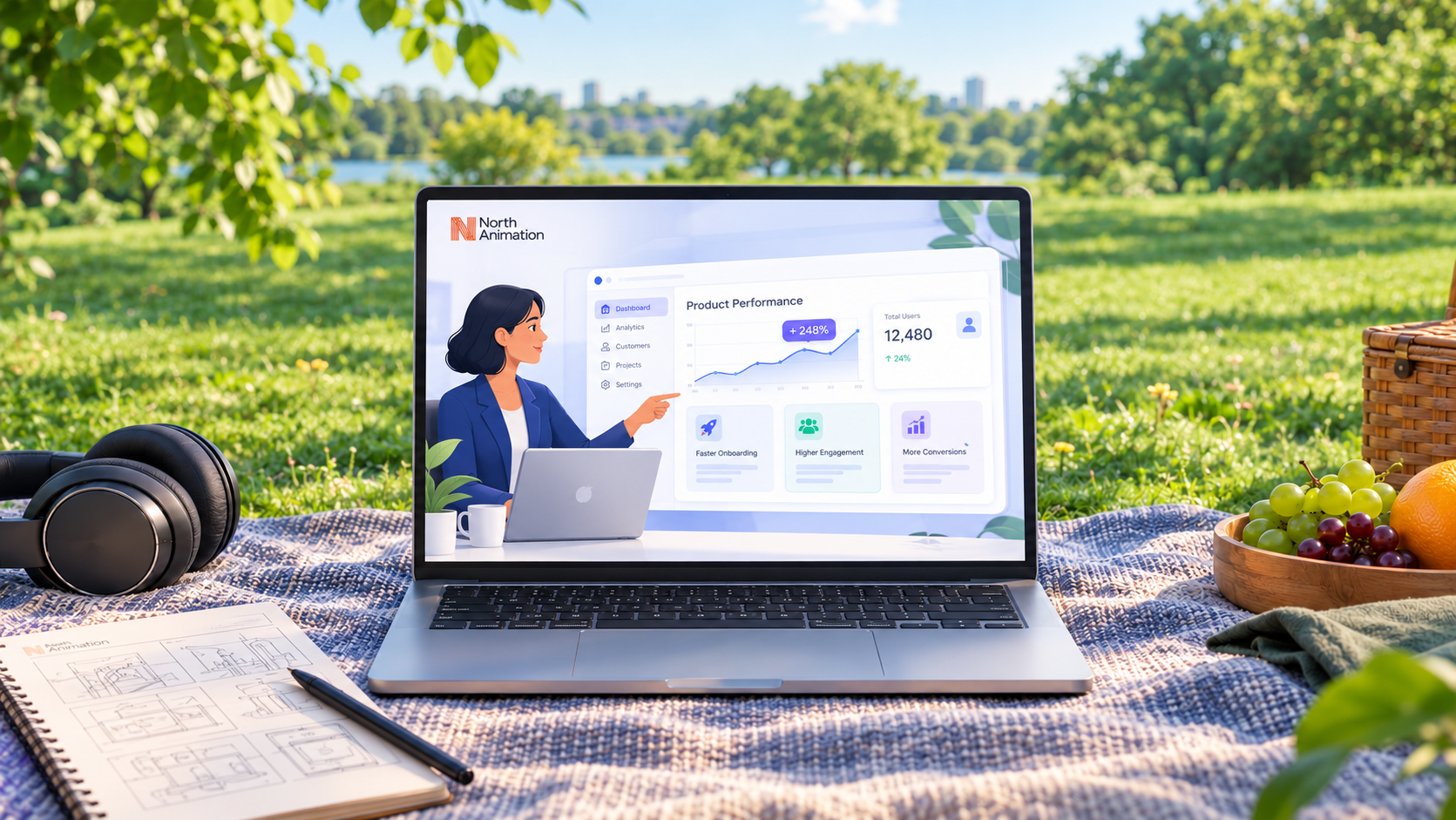
Executive Summary: The Modern SaaS Video Playbook
- The Invisible Value Paradox: Most of what makes enterprise B2B software valuable happens invisibly behind the interface—API pipelines, background automations, data security, and multi-tenant architectures. Plain screen recordings fail to communicate this value.
- Visual Evolution (3D Glass UI): High-growth SaaS platforms have largely retired raw screencasts in favor of reconstructed 3D isometric glass interfaces with depth-of-field blur that guide the buyer’s eyes straight to ROI metrics.
- 2026 Production Budgets: Turnkey commercial production averages $3,500 to $6,500 for sleek 2D motion graphics, and $7,500 to $14,000+ for custom 3D isometric UI reconstructions.
- The 1-to-9 Repurposing Yield: One well-architected master production should yield 9 omnichannel assets (master video, 15s/30s paid ads, 9:16 vertical cuts, looping UI GIFs, and presentation stills).
Table of Contents
- 01. Why SaaS Products Are Hard to Explain (And How Video Solves It) →
- 02. The Full-Funnel SaaS Video Framework (ToFu vs. MoFu vs. BoFu) →
- 03. Visual Style Breakdown: Screencast vs. 2D Motion Graphics vs. 3D Glass UI →
- 04. The 2026 AI Dimension: Rapid Animatic Pre-vis with Higgsfield, Nano Banana & Seedance →
- 05. The 5-Stage Studio Production Pipeline →
- 06. How to Write a High-Converting Script (Beat-by-Beat Template) →
- 07. Optimal Video Length & Pacing by Marketing Channel →
- 08. 2026 SaaS Explainer Video Cost & Budget Guide →
- 09. The 1-to-9 Repurposing Playbook: Maximizing Asset Yield →
- 10. 7 Critical Mistakes That Kill SaaS Video Conversion →
- 11. The Copy-and-Paste SaaS Video Creative Brief →
- 12. Frequently Asked Questions (FAQ) →
01. Why SaaS Products Are Hard to Explain (And How Video Solves It)
As former Meta and PayPal Product Manager Josh Atlas highlighted in our recent analysis on why complex B2B products fail to click, software rarely feels complicated to the engineering squads who build it. To an engineer, every configuration panel represents a solved technical constraint. To the prospective enterprise buyer landing on your website, however, it is an intimidating wall of cognitive noise.
The foundational challenge of SaaS explainer video production is that software value is inherently abstract. If you manufacture a physical consumer product, a prospective customer can watch its physical operation. In software, the true value—data synchronization, automated risk scoring, multi-cloud orchestration, and security sandboxing—happens entirely behind the interface.
When prospective buyers land on your homepage, you have roughly eight seconds to help them answer three fundamental questions:
- What does your software actually do? (Free from vague marketing buzzwords like “synergistic AI optimization”).
- How does it solve my specific, acute operational bottleneck right now?
- Why should I trust your platform over established legacy tools?
A professionally architected SaaS explainer video acts as a cognitive bridge. By translating dense workflows into clear visual storytelling, high-performing videos eliminate cognitive friction, boost trial conversions by 20% to 35%, and dramatically shorten enterprise sales cycles.
02. The Full-Funnel SaaS Video Framework (ToFu vs. MoFu vs. BoFu)
One of the most frequent mistakes software founders make is attempting to build a single “Swiss Army knife” video that addresses every audience at once. An executive buyer looking at your homepage has radically different informational needs than a systems administrator reading technical documentation.
High-growth software brands deploy videos across three distinct conversion stages:
1. Top-of-Funnel (ToFu): High-Level Positioning Explainers
Target Audience: Cold website visitors, C-level executives, and LinkedIn ad viewers who don’t know your brand.
Primary Objective: Hook attention in 5 seconds, establish problem-solution fit, and generate trial signups or demo bookings.
Length: 45 to 90 seconds (110–180 words).
2. Middle-of-Funnel (MoFu): 3D UI Demos & Workflow Deep-Dives
Target Audience: Department leads, product evaluators, and prospects evaluating specific feature capabilities.
Primary Objective: Show the software in action, validate workflow simplicity, and overcome operational objections.
Length: 90 seconds to 2.5 minutes. (Explore our curated teardown of 11+ Best B2B SaaS Video Examples to see this in practice).
3. Bottom-of-Funnel (BoFu): Security, Architecture & Customer Proof
Target Audience: Procurement officers, CISOs, enterprise buying committees, and board stakeholders.
Primary Objective: Prove SOC2/HIPAA compliance, visualize multi-cloud architecture, and alleviate implementation anxieties.
Length: 2 to 4 minutes.
03. Visual Style Breakdown: Screencast vs. 2D Motion Graphics vs. 3D Glass UI
Before committing budget to a saas explainer video company, you must select the appropriate visual production medium. Each approach carries distinct production costs, turnaround timelines, and psychological impacts on your buyer:
04. The 2026 AI Dimension: Rapid Animatic Pre-vis with Higgsfield, Nano Banana & Seedance
The animation industry has evolved dramatically. In 2026, leading studios no longer spend three weeks hand-sketching black-and-white storyboards. Forward-thinking studios harness next-generation generative AI creative tools—including Higgsfield AI, Nano Banana, and Seedance—to supercharge pre-production:
- Rapid Look-Dev with Nano Banana: Nano Banana (and the Nano Banana Pro suite) allows creative directors to generate 4K stylistic moodboards, customized abstract metaphors, and lighting styleframes in hours—aligning visual identity before 3D sculpting begins.
- Cinematic Camera Pre-vis with Higgsfield: Higgsfield enables directors to test dynamic, sweeping camera sweeps, isometric angles, and focal-length transitions rapidly during the visual scripting phase.
- Dynamic Animatic Storyboarding with Seedance: Multi-modal video models like Seedance allow us to generate synchronized multi-shot animatic motion tests with prototype sound effects, letting marketing leadership experience the emotional pacing of the video before final render execution.
05. The 5-Stage Studio Production Pipeline
A professional saas explainer video production engagement operates through five disciplined milestones to eliminate rework and deliver on schedule:
- Stage 1: Discovery & Strategy (Week 1): Customer persona, competitor positioning, ICP pain points, and conversion goals. What gets approved: Creative Brief, Core Value Spine, and CTA.
- Stage 2: Scriptwriting & Narrative Architecture (Week 2): Spoken voiceover word-for-word, mapped to visual cues. What gets approved: Voiceover Script and Timed Word Count.
- Stage 3: Storyboarding & Styleframes (Week 3): Mapping the script to scene-by-scene graphic boards and color-accurate styleframes. What gets approved: Full Visual Storyboard and Look-Development.
- Stage 4: 3D Modeling & Motion Animation (Weeks 4–5): Rigging UI elements, modeling isometric dashboards, and executing ray-traced GPU rendering. What gets approved: Animation Draft Video.
- Stage 5: Voiceover, Sound Design & Final Mastering (Week 6): Commercial voice talent recording, custom UI audio foley, orchestral/synth scoring, and final multi-format rendering. What gets approved: Broadcast Master & Repurposed Social Cutdowns.
06. How to Write a High-Converting Script (Beat-by-Beat Template)
The script is the structural backbone of your video. If the script is weak, even Hollywood-level 3D animation cannot save your conversion rate. High-converting SaaS explainer scripts follow a proven 5-Beat Architecture:
Beat 1: The 5-Second Agitation Hook (0:00 – 0:10)
Never start with: “Welcome to Platform X.” Start directly inside the buyer’s Tuesday morning operational migraine.
Example Script: “Your engineering team spends twenty hours every sprint manually reconciling broken API endpoints across three disconnected tools.”
Beat 2: The Consequence of Inaction (0:10 – 0:25)
Highlight the emotional and business cost: lost revenue, compliance vulnerability, or team burnout.
Example Script: “Deployments stall, customer onboarding drags out for weeks, and your senior developers burn out on repetitive maintenance.”
Beat 3: The Introduction & Core Mechanism (0:25 – 0:50)
Introduce your platform as the strategic catalyst. Show 2 or 3 core workflow moments—not a full feature laundry list.
Example Script: “Meet NorthCloud. With one-click OAuth integration, NorthCloud automatically maps your data pipelines in real time, validating schema changes before code ever hits production.”
Beat 4: The Quantifiable Business Outcome (0:50 – 1:10)
Translate software features into tangible enterprise ROI.
Example Script: “Over 400 engineering teams cut deployment cycle times by 65%, shipping features twice as fast with zero manual maintenance.”
Beat 5: The Frictionless Call-to-Action (1:10 – 1:20)
State one unambiguous, low-friction next step.
Example Script: “Start your free 14-day trial today at NorthCloud.com. No credit card required.”
07. Optimal Video Length & Pacing by Marketing Channel
Homepage Hero Video
60 to 90 Seconds (140–210 words)
Optimal for maintaining 70%+ completion rates while delivering full problem-solution context to first-time website visitors.
Paid LinkedIn & Meta Ads
15 to 30 Seconds (35–70 words)
Fast, punchy hook designed for silent autoplay on social feeds with burned-in kinetic typography.
Product Feature Landing Pages
90 to 150 Seconds (210–350 words)
Targeted at prospects who have passed initial discovery and need to see specific multi-step workflows in detail.
Sales Enablement & Demo Decks
2 to 3 Minutes (280–420 words)
Sent by Account Executives before or after sales calls to provide the buying committee with a comprehensive executive overview.
08. 2026 SaaS Explainer Video Cost & Budget Guide
One of the most common search queries in Google Search Console is how much does a saas explainer video cost. Here are typical North American production benchmarks for 2026:
To calculate your exact investment based on runtime, style, and deliverable package, explore our interactive SaaS Explainer Video Cost Calculator or read our detailed 3D Animation Cost Per Minute Master Breakdown.
09. The 1-to-9 Repurposing Playbook: Maximizing Asset Yield
Never commission a SaaS video as a single isolated file. If you plan your aspect ratios and scene compositions during storyboarding, a single production can easily yield nine distinct high-performing marketing assets:
- 1. Master 16:9 Video (60–90s): Embedded above the fold on your homepage hero and main product page.
- 2. 30-Second Paid Social Master: Edited with high-intensity pacing for LinkedIn In-Feed and YouTube pre-roll ads.
- 3. 15-Second Hook Teaser: Pure problem-solution hook designed for retargeting campaigns.
- 4. 9:16 Vertical Cutdown: Formatted for LinkedIn Mobile, Instagram Reels, and YouTube Shorts.
- 5. 1:1 Square Feed Cut: Optimized for Twitter/X and LinkedIn desktop feed posts.
- 6. Looping UI GIFs & WebM Clips: Embedded into documentation pages, onboarding emails, and feature release changelogs.
- 7. High-Res 4K Still Captures: Rendered for sales one-pagers, investor pitch decks, and conference booths.
- 8. Silent Caption-Burned Version: Subtitled for sound-off autoplay environments (where 80%+ of social video is viewed).
- 9. Interactive Sales Enablement Snippets: 15-second isolated feature clips used by AEs during outbound email sequencing.
10. 7 Critical Mistakes That Kill SaaS Video Conversion
- 1. The “Feature Dumping” Trap: Trying to show every dashboard, setting, and integration. A 90-second video can only effectively land one primary customer transformation.
- 2. Writing the Script Like Website Copy: Video is a linear medium. Viewers cannot skim or re-read paragraphs. Every sentence must lead seamlessly into the next visual beat.
- 3. Wandering Mouse Cursors: Filming a real mouse cursor darting around a complex dashboard is visually exhausting. Professional studios use camera pans, animated callouts, and selective focus to direct attention.
- 4. Starting with Company Trivia: Beginning with your founding date, office locations, or funding announcements. Cold prospects only care about solving their immediate problem.
- 5. Neglecting Sound Design: Audio accounts for 50% of the emotional impact. Sub-standard voiceover recording or generic background elevator music destroys brand credibility.
- 6. Forgetting Silent Autoplay: Over 80% of video on LinkedIn and mobile web is watched with the sound turned off. Essential value propositions and hooks must be supported with clear on-screen kinetic text.
- 7. Competing Calls-to-Action: Asking the viewer to “Schedule a Demo, Start a Free Trial, Read Our Whitepaper, and Follow on Twitter.” Give them exactly one unambiguous next step.
11. The Copy-and-Paste SaaS Video Creative Brief (RFP Template)
- Product Description: In 2 sentences without buzzwords, what does your software do?
- Target Persona (ICP): Who is the primary decision-maker (job title, day-to-day responsibilities, key anxieties)?
- The Core Bottleneck: What specific painful manual task or legacy software are they replacing?
- The “Aha!” Moment: What is the single most impressive capability that makes prospects sign up during live sales demos?
- Placement & Distribution: Where will the video live (homepage hero, paid LinkedIn ads, sales follow-ups)?
- Preferred Visual Style: 2D vector motion graphics, hybrid UI screencast, or 3D isometric glass UI?
- Target Runtime: 60s, 90s, or 2 minutes?
- Target Launch Date: Do you have an upcoming product launch, conference, or funding announcement deadline?
12. Frequently Asked Questions About SaaS Video Production
How much does a SaaS explainer video cost in 2026?
Professional SaaS explainer video production in 2026 typically ranges from $3,500 to $6,500 for high-converting 2D motion graphics and stylized UI walkthroughs. Enterprise-grade 3D isometric glass UI animations with volumetric lighting, custom sound design, and omnichannel cutdowns range from $7,500 to $14,000+ per finished minute.
How long should a B2B SaaS explainer video be?
For website homepages and primary landing pages, 60 to 90 seconds (140 to 210 spoken words) achieves the highest completion rates (above 70%). For targeted middle-of-funnel feature walkthroughs or sales enablement decks, 90 to 150 seconds allows you to demonstrate complex technical integrations in depth.
How long does SaaS video production take from kickoff to delivery?
A standard 60 to 90-second turnkey production takes 4 to 6 weeks. This timeline spans strategic discovery, scriptwriting, styleframes, visual storyboarding, 3D modeling, animation, voiceover casting, custom sound design, and revisions.
Why use 3D glass isometric UI instead of standard screen captures (Loom)?
Raw screen recordings show full dashboard clutter, tiny fonts, and sensitive user data that distract viewers. 3D isometric UI animation reconstructs the software with floating glass planes, selective depth-of-field focus, and smooth camera glides, directing the buyer’s eye straight to the primary value metric without visual noise.
Can one SaaS explainer video be repurposed across multiple marketing channels?
Yes, provided repurposing is planned during storyboarding. A single master 16:9 production can yield 9 distinct assets: 15-second and 30-second paid social ads, 9:16 vertical cuts for LinkedIn/Shorts, square 1:1 feed cuts, looping UI GIFs for onboarding docs, and high-res stills for pitch decks.
Ready to Turn Your Product into a High-Converting Story?
At North Animation Studio, we turn complex SaaS products, medical devices, and industrial technology into clear, high-converting visual stories. Calculate your tailored project quote in under 60 seconds.